In this post, I will show you the installation of the SAP HANA Cockpit.
SAP HANA Cockpit is a web-based tool for the administration, monitoring, and maintenance of SAP HANA systems.
It is available to download from SAP ONE Support Launchpad (Login required).
- Go to ‘SUPPORT PACKAGES & PATCHES’ -> ‘By Category’ -> ‘SAP In-Memory (SAP HANA)’ -> ‘HANA PLATFORM EDITION’ -> ‘SAP HANA PLATFORM EDITION’ -> ‘SAP HANA PLATFORM EDITION 2.0’ -> ‘SAP HANA COCKPIT 2.0’
- Choose the right OS platform and download the latest file as shown below.
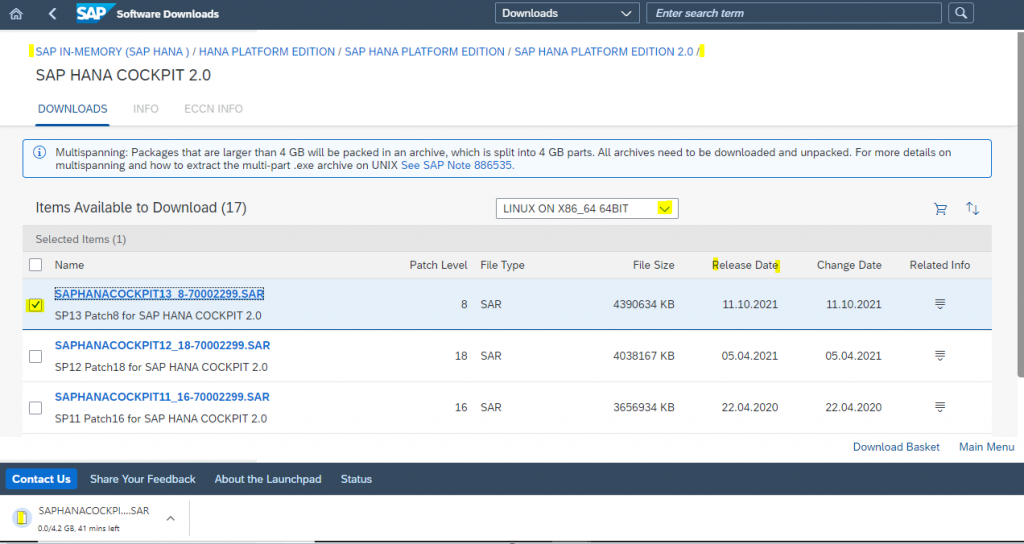
To extract the downloaded .SAR file one needs SAP CAR file
- SAP CAR can be downloaded by navigating to ‘SUPPORT PACKAGES & PATCHES’ -> ‘By Category’ -> ‘Additional Components’ -> ‘SAP CAR’ -> ‘SAPCAR 7.xx’
- Choose the right OS platform and download the latest file as shown below.
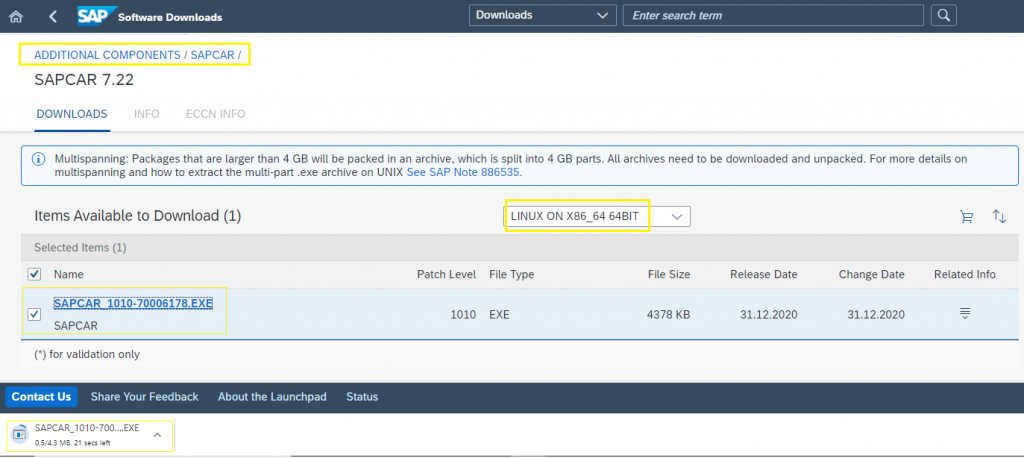
- Login as root on the Linux Server. Copy the downloaded SAP CAR file.
- In order to change the file name extension from .EXE rename it to just SAPCAR
- Make sure the root user has read and execute authorization on the local directory where it will be extracting the data from SAR file and also grant permission on the SAP CAR file and Cockpit SAR file.
- Uncar the SAR file to a local directory on the Server using below command:
./SAPCAR -manifest SIGNATURE.SMF -xvf SAPHANACOCKPIT<version number>.SAR
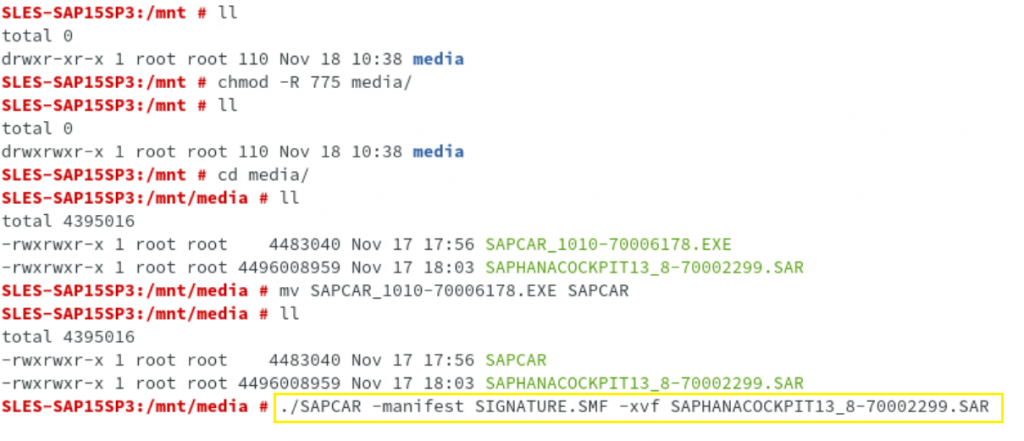
After executing the extraction command, you will get the following and to install SAP HANA Cockpit, invoke the hdblcmgui.sh as shown below:

As there is no existing setup, the wizard has pre-selected the only option, simply click on next to proceed.
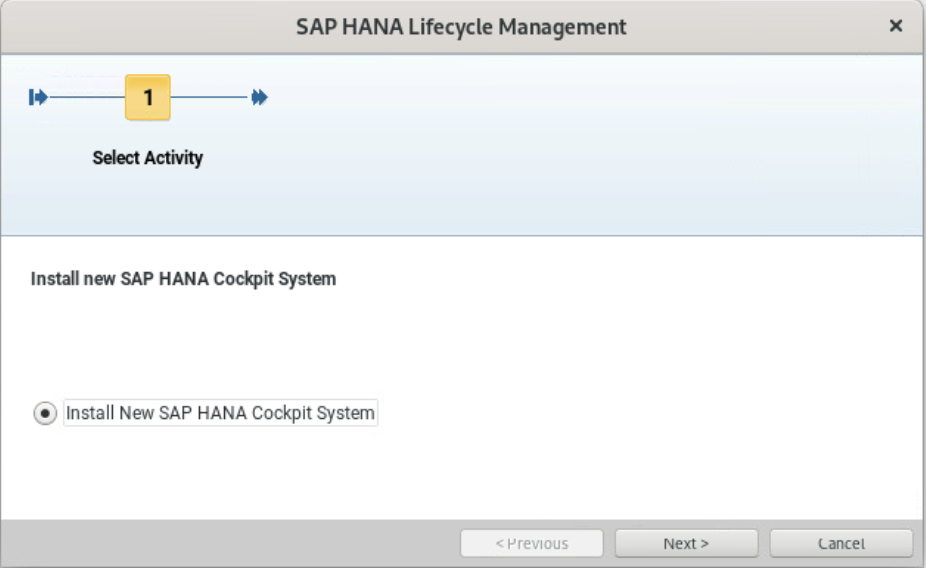
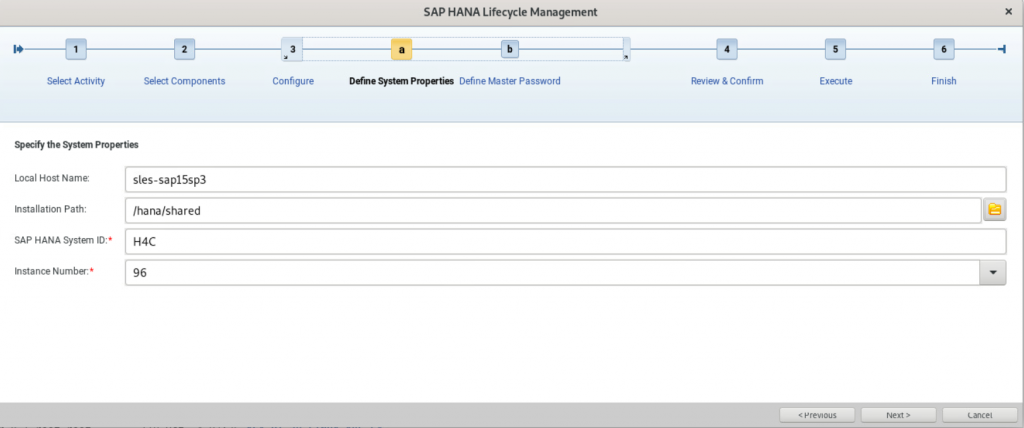
Wizard shows the details by default, if you want to change the Installation Path, SAP HANA System ID, and Instance Number you can do so. Here, I will go with the default and proceed to the Next.
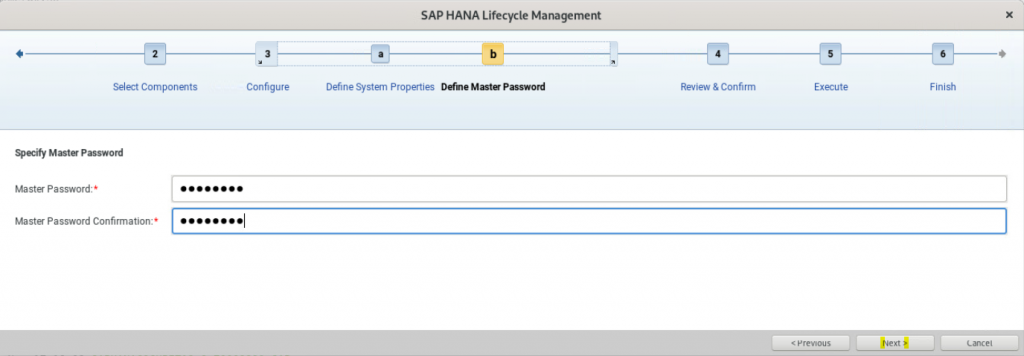
Specify Master Password and click on Next.
The summary will be shown as below:
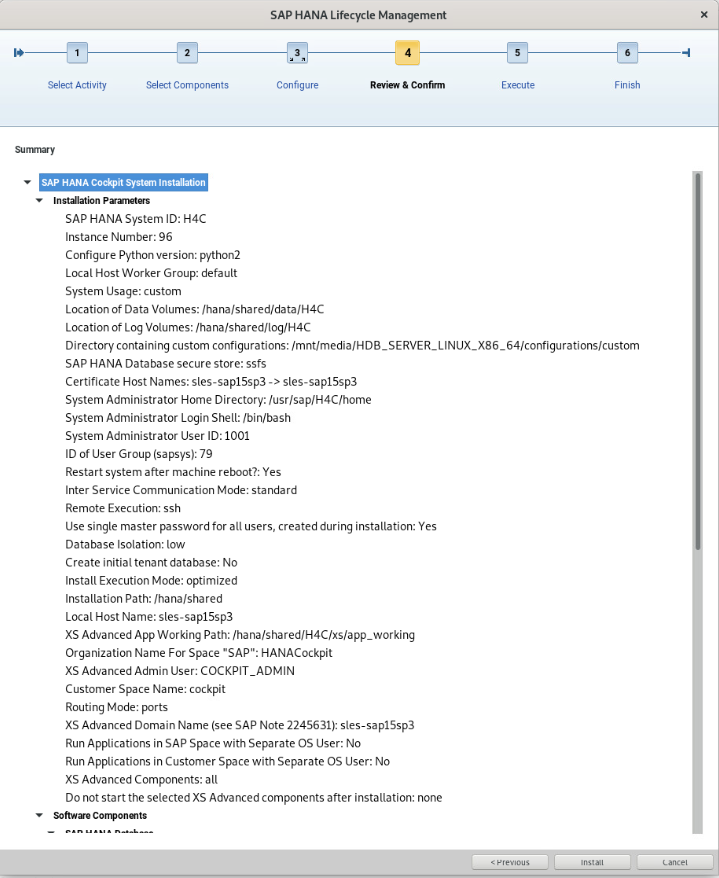
After review of Summary click on Install.
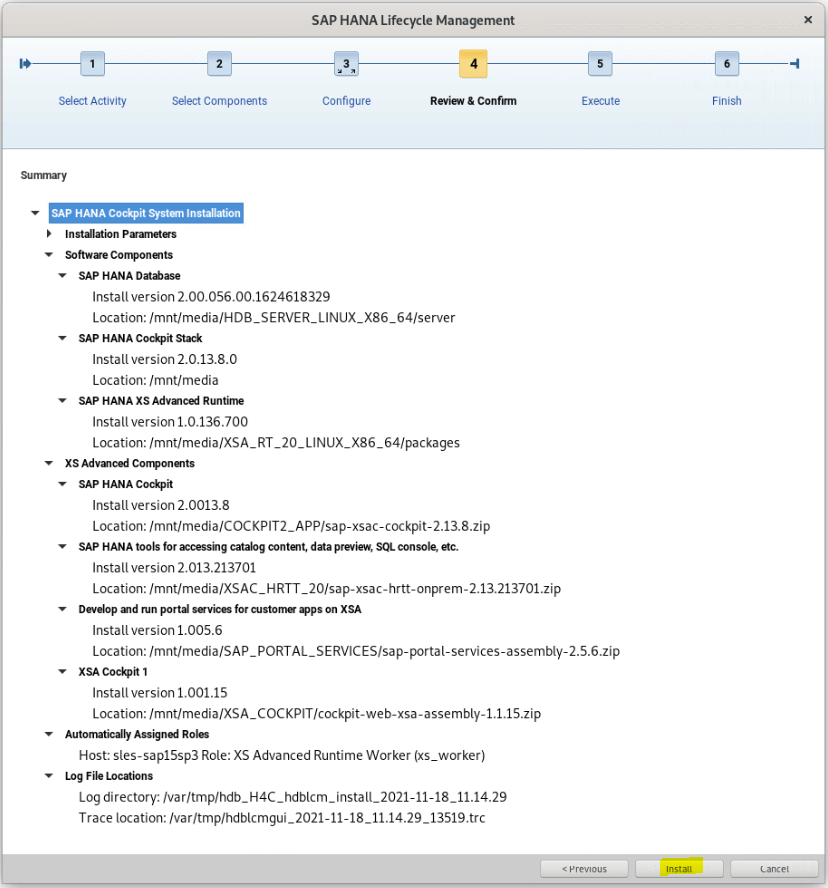
The installation will go on for around an hour (or more).
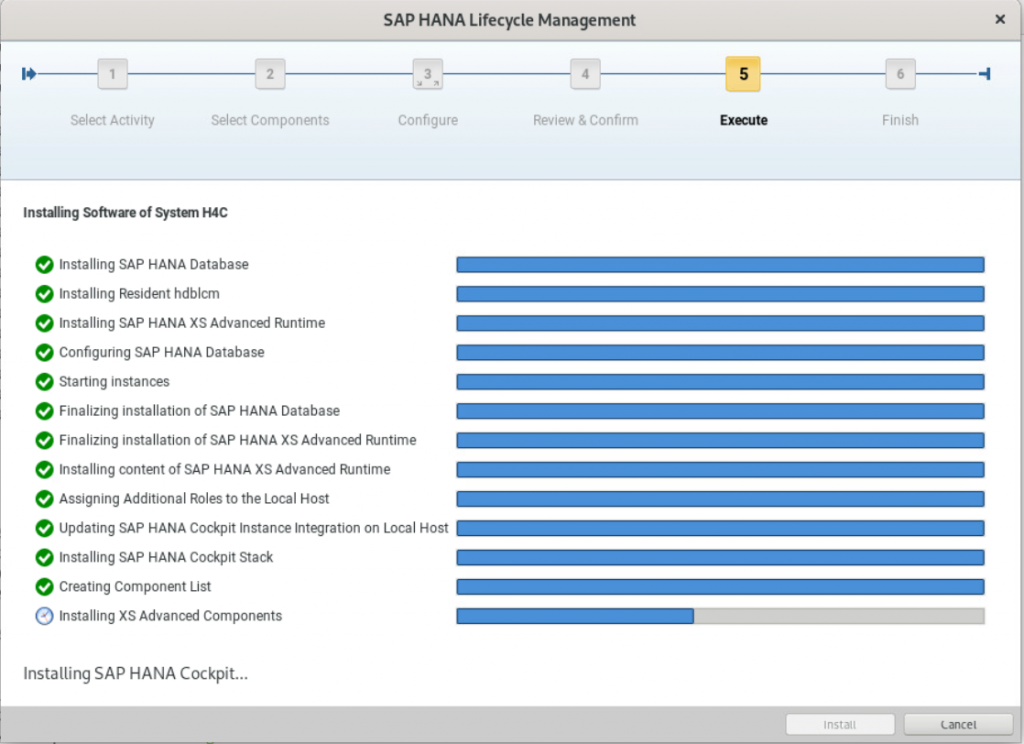
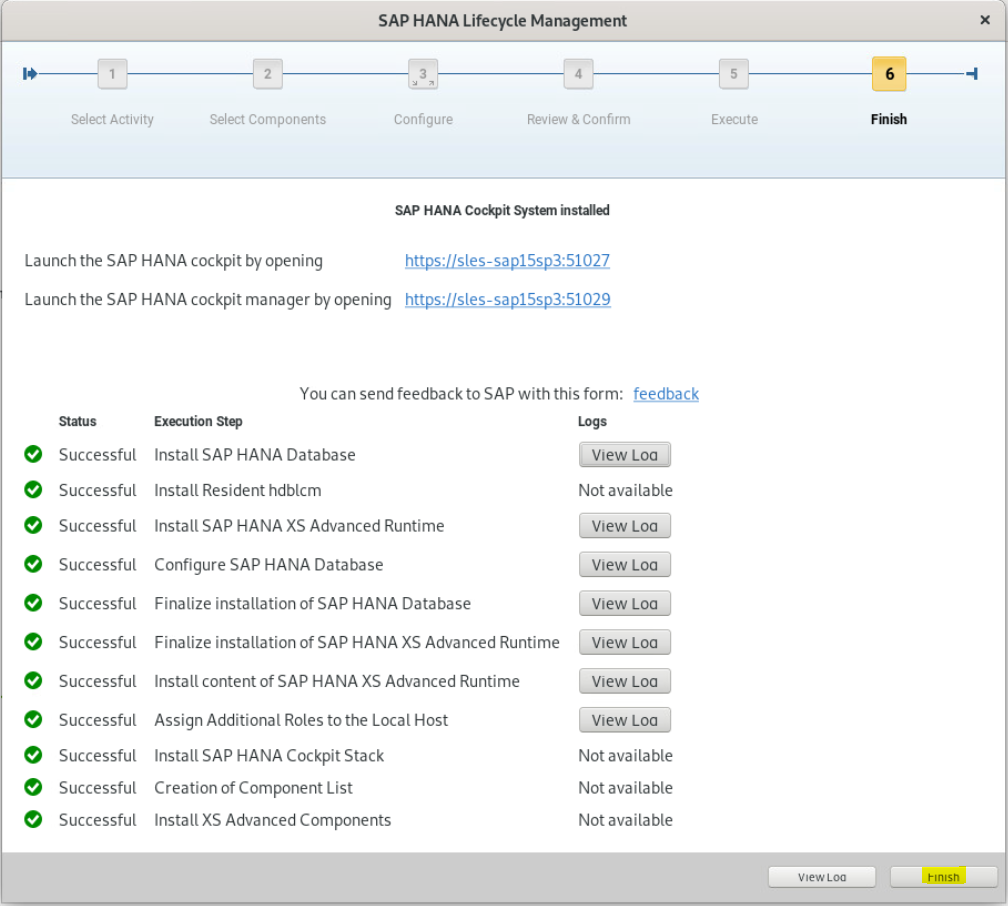
Now, SAP HANA Cockpit System is installed. Either copy or make a note of these links/URLs for quickly launching Cockpit. To know more about the Cockpit’s URLs follow SAP Note: 2889010. For now, click on Finish to exit the wizard.
To know further, please refer to the post SAP HANA Cockpit – Logins.